
1099 Vendor Tracking Template
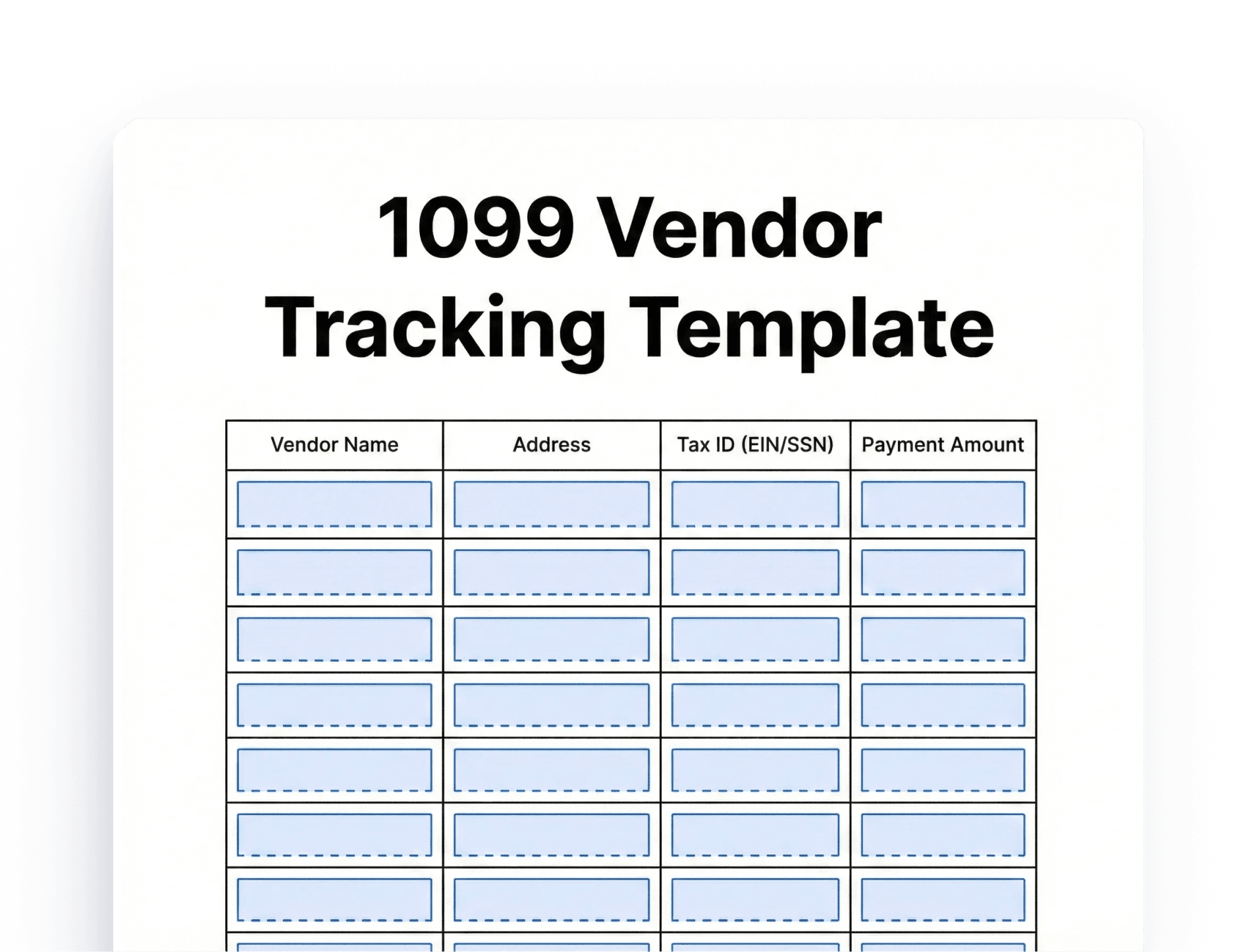
A 1099 Vendor Tracking Template is a structured document that helps you record and monitor payments made to independent contractors and service providers. Property managers use this tool to track essential vendor information throughout the year.
Download as PDF when complete


(No Ratings Yet)
What Is a 1099 Vendor Tracking Template?
Real estate professionals work with numerous vendors annually. Consequently, keeping accurate records becomes challenging without a systematic approach. This template centralizes all vendor-related data in one accessible location. Moreover, it simplifies the process of generating 1099-NEC forms at year-end. The template typically includes contractor names, tax identification numbers, payment amounts, and service dates.
Why Real Estate Professionals Need Vendor Tracking
Property management involves coordinating multiple service providers. You hire plumbers, electricians, landscapers, painters, and cleaning services regularly. Each contractor receiving $600 or more annually requires a 1099-NEC form. Therefore, accurate tracking throughout the year prevents last-minute scrambles during tax season.
Additionally, proper vendor tracking protects you during IRS audits. You maintain clear documentation of every payment made to contractors. This organized approach demonstrates professionalism and financial responsibility. Furthermore, it helps you identify your most-used vendors and analyze maintenance costs across properties.
Essential Components of an Effective Template
Vendor Information Section
Your 1099 vendor tracking template should capture complete contractor details. Include the vendor’s legal business name, doing-business-as name if different, and complete mailing address. Record their Employer Identification Number (EIN) or Social Security Number (SSN). Additionally, document their business entity type, such as sole proprietor, LLC, or corporation.
Phone numbers and email addresses facilitate quick communication. Also, note the date you received their completed W-9 form. This information proves invaluable when questions arise about tax reporting.
Payment Tracking Details
Create columns to record each transaction with vendors. Include the payment date, check number or transaction ID, and invoice number for reference. Document the property address where services occurred and provide a brief service description.
Most importantly, track the payment amount for each transaction. Calculate running totals to monitor when vendors approach the $600 reporting threshold. This running total helps you identify which contractors will need 1099 forms.
Year-End Reporting Fields
Add columns specifically for tax preparation purposes. Include checkboxes to confirm W-9 receipt and verify mailing addresses. Create a field to mark when you’ve generated and sent the 1099-NEC form. Document the date you filed forms with the IRS to maintain complete records.
Key Benefits for Property Managers
Time Savings and Efficiency
A well-maintained 1099 vendor tracking template dramatically reduces administrative burden. You avoid searching through multiple files or bank statements when tax season arrives. Instead, all necessary information exists in one organized spreadsheet. This efficiency allows you to focus on property management rather than paperwork.
Improved Accuracy
Manual tracking often leads to errors or missed contractors. Templates with built-in formulas automatically calculate yearly totals for each vendor. Consequently, you reduce the risk of underreporting or overreporting payments. Accurate records also prevent penalties from incorrect or late 1099 filings.
Better Vendor Relationships
Organized tracking enables timely payments and clear communication with contractors. You quickly reference past work, payment history, and contact information. This professionalism strengthens relationships with reliable vendors. Additionally, you can evaluate vendor performance and costs across multiple properties.
How to Implement Your Tracking System
Initial Setup Process
Start by collecting W-9 forms from all current vendors immediately. Never make payments without this crucial tax document. Enter existing vendor information into your template before the year begins. This proactive approach ensures you capture all payments from January onward.
Set up a consistent filing system for backup documentation. Store copies of W-9 forms, invoices, and receipts together. Link these physical or digital files to your tracking template for easy reference.
Ongoing Maintenance
Update your template every time you pay a contractor. Don’t wait until month-end or quarter-end to enter transactions. Immediate updates prevent forgotten payments and maintain accuracy. Schedule monthly reviews to verify all entries and check for approaching thresholds.
Mark your calendar for important deadlines. Forms 1099-NEC must reach contractors by January 31st. Submit copies to the IRS by the same deadline. Early tracking preparation makes meeting these dates manageable.
Best Practices for Maximum Effectiveness
Always request W-9 forms before making initial payments. This practice prevents complications when contractors become unreachable later. Additionally, verify that vendor names match their tax identification numbers exactly.
Keep digital and physical backups of your tracking template. Cloud storage provides accessibility and protection against data loss. However, ensure sensitive tax information remains secure through password protection.
Review your vendor list annually to remove inactive contractors. Clean data makes future tax preparation more efficient. Furthermore, use your tracking data to negotiate better rates or find more cost-effective service providers.
Integrate your tracking template with accounting software when possible. Many property management platforms offer vendor management features. However, maintaining a separate spreadsheet provides additional security and customization options.
Conclusion
A 1099 vendor tracking template is an indispensable tool for property managers and real estate investors. This simple system protects you from tax compliance issues while improving operational efficiency. By implementing organized vendor tracking today, you eliminate stress during tax season and maintain professional relationships with contractors. Download a template, customize it for your needs, and start tracking vendor payments immediately. Your future self will thank you when January arrives and tax preparation becomes a simple, straightforward process rather than a chaotic scramble.
FAQs
You must send 1099-NEC forms to contractors by January 31st of the following year. Any vendor who received $600 or more during the tax year requires this form.
The IRS imposes penalties ranging from $60 to $310 per form, depending on how late you file. Intentional disregard carries even higher penalties of $630 per form.
No, you only send them to unincorporated businesses and individuals who received $600 or more annually for services. Corporations (C-Corp and S-Corp) generally don’t need 1099 forms.
Yes, many property management platforms like QuickBooks and Buildium offer integrated 1099 management tools. However, a separate spreadsheet template provides additional backup and customization options.
Always collect a completed W-9 form before making any payments. This form provides the vendor’s legal name, business structure, tax identification number, and mailing address.